





















































































Printer consumables seem simple until you receive a toner that does not fit the machine. The differences between codes are sometimes a single letter, and the same printer may accept several versions with different yields. The guide below helps you identify exactly the compatible consumable, compare the cost per page properly and avoid the most common mistakes.
In short
- Match the exact consumable code, not just the product family.
- Compare the cost per page, calculated from the declared yield.
- Originals have guaranteed compatibility; compatibles cost less, but quality varies.
- Check whether the problem is the toner or the drum.
Toner or ink cartridge: what your printer uses
Laser printers use toner, a fine powder fused onto paper with heat. Inkjet printers use cartridges with liquid ink or refillable tanks. Some laser printers also have a separate drum unit, which is replaced less often than the toner. Check the manual to see whether your model has a separate or integrated toner and drum.
Step 1: find the exact printer model
The full model name is usually on the front or on the label at the back, and sometimes also in the printer menu or on the printed configuration page. Write down the full model, including the letters at the end: versions of the same model may use different consumables depending on the region.
Step 2: identify the consumable code
The safest way is to read the code on the toner or cartridge currently in your printer. Alternatively, the manual and the manufacturer's website list the compatible consumables for each model. When you compare offers, match the exact code, not just the family name.
Letters that change everything
Suffixes in the code often indicate capacity (standard or high), colour or region. A high-capacity toner usually has a slightly different code from the standard one, but it fits the same printer if the manufacturer lists it as compatible. Always check the official compatibility list.
Page yield and the real cost
Manufacturers declare page yield according to testing standards (for example ISO/IEC 19752 for monochrome toner and ISO/IEC 19798 for colour toner), which assume a certain page coverage. If you often print graphics or photos, you will get fewer pages than the declared value.
To compare offers, calculate the cost per page: the price divided by the declared yield. A high-capacity toner costs more to buy, but often has a lower cost per page.
Original, compatible or remanufactured
- Original (OEM): made by the printer manufacturer, with guaranteed compatibility and consistent quality.
- Compatible: made by third parties for your model, usually cheaper. Quality varies between manufacturers.
- Remanufactured: an original cartridge that has been reconditioned and refilled.
Using compatible consumables does not automatically void the printer warranty in the EU, but a fault caused directly by an unsuitable consumable may not be covered. Read the warranty terms and choose sellers with a clear returns policy. Some printers show warnings or may reject certain non-original chips after firmware updates.
Mono or colour: how much you really use
On colour printers, each colour is used separately. If you mostly print text, the black cartridge or toner runs out first. Some inkjet printers use a tri-colour cartridge: when a single colour runs out, the whole cartridge has to be replaced. If you print a lot in colour, models with separate tanks can be more economical in the long run.
Storing consumables
Keep toners and cartridges in their sealed packaging, at room temperature, away from sunlight and humidity. Ink cartridges have a recommended use-by date; old ink can dry out the nozzles. Do not touch the electrical contacts or the drum area with your fingers, and gently shake a new toner before fitting it if the manufacturer recommends this.
Recycling
Empty toners and cartridges should not go in household waste. Many manufacturers and retailers have collection programmes, and electronic waste collection centres accept them. Recycling reduces the amount of plastic and toner powder that ends up in the environment.
New printer or new consumables: when switching makes sense
Sometimes the cost of a full set of consumables comes close to the price of a new printer. Before deciding, compare the cost per page of your current printer with that of a new model, including the consumables in the box, which often have reduced capacity (starter consumables). A new printer makes sense if you print a lot and your current model has a high cost per page, if it lacks features you need every day (double-sided printing, networking, scanning) or if wear parts are hard to find.
If your current printer works well, it is usually more efficient, including for the environment, to keep it and choose suitable consumables. For low volumes, inkjet printers with refillable tanks or compact mono laser printers are options worth considering.
Occasional printing
If you only print a few pages a month, a laser printer is often more suitable than an inkjet, because toner does not dry out. With inkjets, long periods without use can dry out the nozzles. A copy shop near home can also be an economical solution for very small volumes.
The drum, fuser and other consumables
On many laser printers, besides the toner there are other parts with a limited lifespan: the photoconductor drum, the fuser unit and, on colour models, the transfer belt. The printer usually shows a specific message for each one. Read the message carefully before buying: a drum message will not be fixed by a new toner.
Print quality and common problems
Streaks, spots or faded areas can have different causes: a nearly empty toner, a worn drum, damp paper or the wrong paper type setting. On inkjet printers, dried nozzles can be cleaned from the maintenance menu. Run a test or diagnostic page before changing consumables.
For offices: how to reduce costs
- Use automatic double-sided printing if the printer supports it.
- Turn on economy mode for internal documents.
- Print in colour only when necessary.
- Keep a spare consumable so work does not stop.
- Write the consumable code on the printer for quick reordering.
Quick checklist before you order
- I have the full printer model.
- I have the exact code of the current toner or cartridge.
- I have checked the capacity (standard or high) and the yield.
- I have calculated the cost per page.
- I know whether I am choosing original or compatible and I have read the returns terms.
- I have checked whether the problem is the toner, not the drum.
Common mistakes
- Ordering by the family name without checking the exact code.
- Ignoring the suffix that indicates the region or capacity.
- Comparing only by price, without calculating the cost per page.
- Replacing the drum when only the toner has run out (or the other way round).
- Storing cartridges opened or in a warm place.
Toner and ink cartridges from the catalogue
Real products from partner shop feeds, with the price from the latest import. The final price and stock are confirmed by the retailer. The selection is automatic, by category and relevance, not a paid recommendation.

Cartus cerneala HP 343, acoperire 330 pagini (Color)
HP
313.99 RON
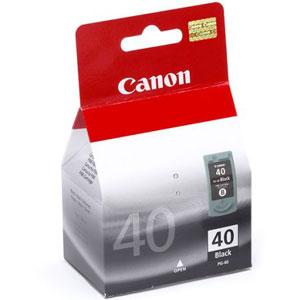
Cartus cerneala Canon PG-40, acoperire 350 pagini (Negru)
Canon
118.99 RON

Drum Brother DR2100 (Negru)
Brother
514.99 RON

Toner Samsung MLT-D1052L (Negru - de mare capacitate)
Samsung
491.99 RON
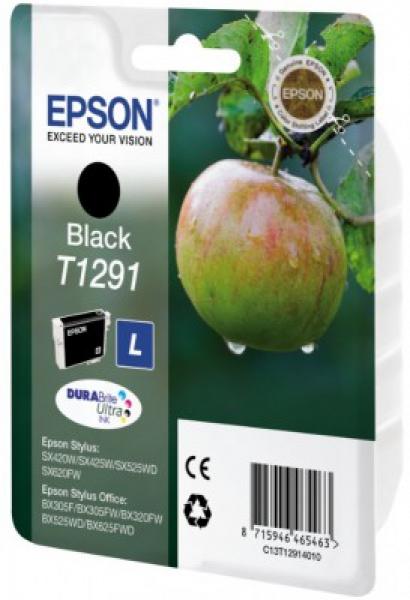
Cartus cerneala Epson T1291, 11.2 ml (Negru)
Epson
111.99 RON

Toner OKI 44469803 (Negru)
OKI
460.99 RON

Toner Xerox 006R01464, acoperire aprox. 15000 pagini (Cyan)
Xerox
927.99 RON

Toner Konica Minolta TN-217 (Negru)
Konica Minolta
235.99 RON
Frequently asked questions
How do I find out which toner I need?
Read the code on the toner currently fitted in your printer, or look up the exact printer model in the manual or on the manufacturer's website, which lists the compatible consumables.
Does compatible toner void my printer warranty?
Not automatically. In the EU, simply using compatible consumables does not void the warranty, but a fault caused by an unsuitable consumable may be excluded. Check the manufacturer's terms.
Why do I get fewer pages than the box says?
The declared yield is measured at standard page coverage. Graphics, photos and dense text use more toner.
Is high-capacity toner worth it?
If you print regularly, usually yes, because it has a lower cost per page. For occasional use, the standard version may be enough.


